


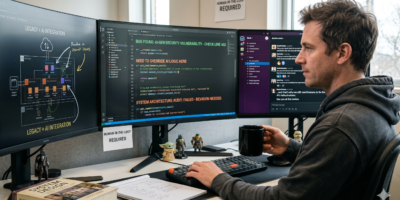
Protecting your account from being hacked or useful information stolen is now being very difficult. Keeping in mind that hackers are implementing new methods to peep in your account.
Survey Results
A recent survey by FTC on identity theft, showed that 16 percent of victims who said their accounts were hacked or important information stolen by the people they knew, that is friends, relatives, coworkers, and neighbors.
Therefore is better to take precautions if we are working from home, office or café. The best idea is to disable the cookies and do not store your sensitive information on the computers that is off much importance to you.
Now, is there a way to find out who has actually been using your accounts to stole the information or just logging in to your account to see what you have stored.

See Who is Seeing
The obvious answer is yes! Just follow the steps below and protect your account rather find out; who actually is peeping in your account to get the information.
Here’s how:
- Open an account with OneStatFree.com, and use a disposable e-mail address to complete the registration process.
- You’ll receive an email from OneStat with an attached file. Save the file, note the account number, and then delete the email.
- Rename the file with a name that would catch a hacker’s eye like “AccountPasswords.” Save the .txt file as an .htm file so it opens up in a web browser.
- Send an email with the .htm file to the account you want to monitor. Use a subject title that is eye catching.
- Wait for the hacker to take the bait. If the attachment is opened by anyone else but you, the hit counter will record their IP address.
This is just another way to find out but rest depends on your and I would recommend keeping your password as difficult as you can, better precaution is better than cure.

Leave a Reply